Changes will be executed using one of the following “Life Event” actions which have now been added:
- Life Event - Enrollment would be for a newly eligible employee who had a QLE.
- Life Event - Coverage Change would be for an employee with an FSA or DCA already who wishes to change it due to a QLE.
Life Event - Enrollment Form
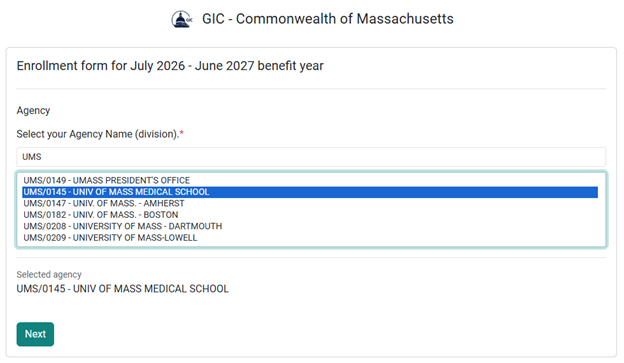
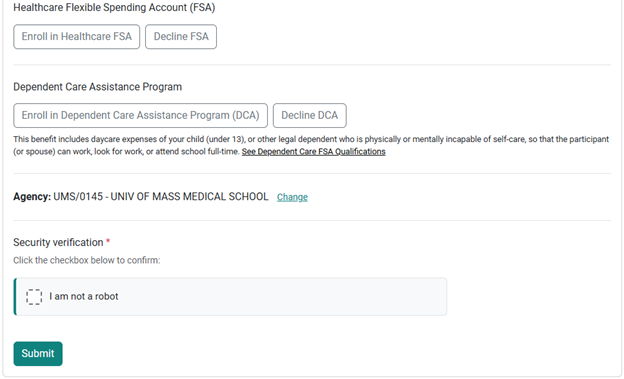
1. You must select the correct Agency they belong to. This list is searchable, so keywords like “UMS” or “Housing” can filter only results that match.
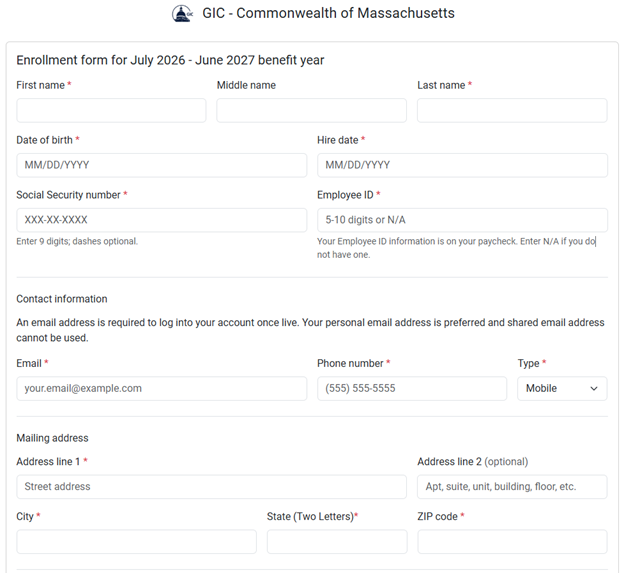
2. Next, supply your demographic and Annual Election information for your enrollment into either the Flexible Spending Account (FSA) or the Dependent Care Assistance Program (DCA).
–Hire Date will accept N/A
–Employee ID will accept N/A
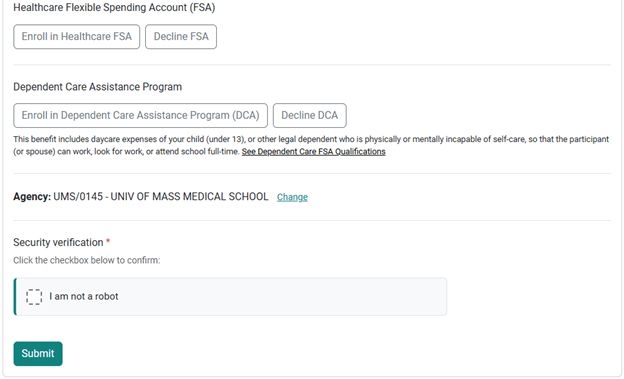
3. Once you click Submit, you will receive a confirmation page that you can save for your records.
4. A GIC Coordinator will review all submitted forms. Once approved, you will receive another email from Ameriflex regarding your Ameriflex Debit Mastercard®.
Life Event - Coverage Change Form
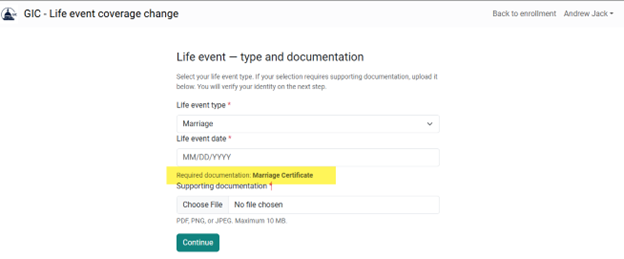
1. The Life Event form for a Coverage Change requires you to enter the QLE type and the QLE Date.
2. You must also upload supporting documentation for your QLE change request. Based on the Event Type, the form will recommend the types of documentation you should upload.
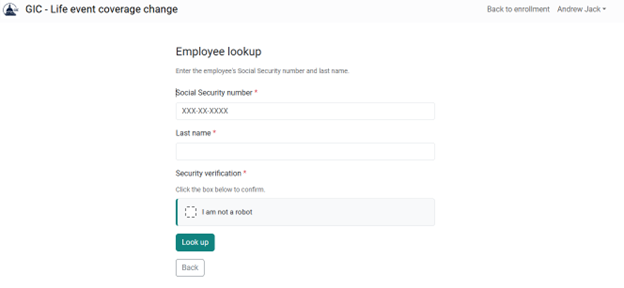
3. Next, you will be required to look yourself up using your full SSN and your Last Name (what you enter here must match what you used when you enrolled).
4. If found, you may enter the details of your change including whether you are increasing/decreasing.
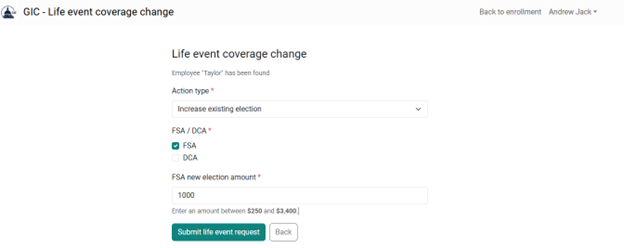
5. If you request to decrease your existing election, you will also be asked whether a Payroll Refund is required. If so, you will be required to provide details of the payroll refund AND supporting documentation.
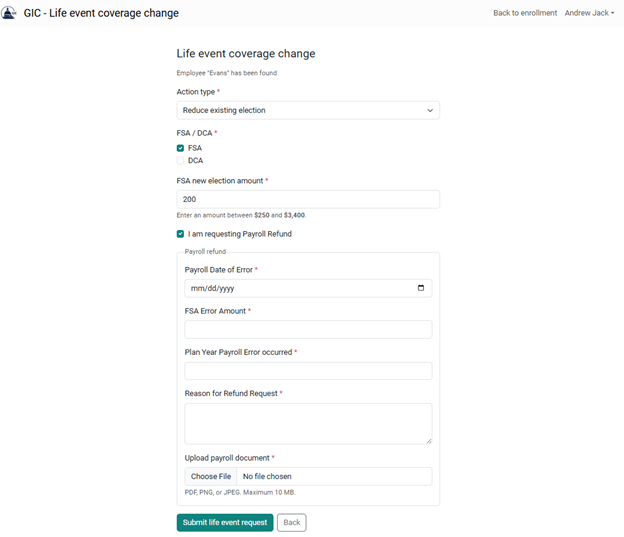
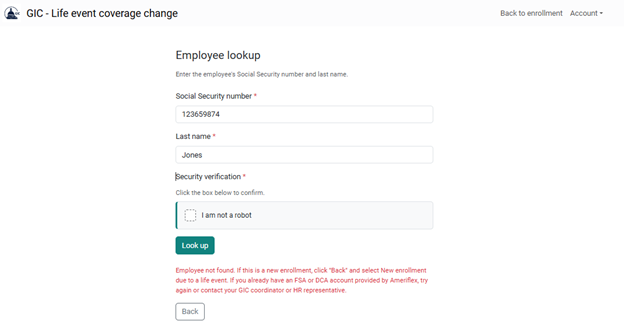
6. If the Social Security Number and Last Name do not match anyone currently enrolled, the member will be given an error message, "Employee not found." If this is a new enrollment, click "Back," then select "New Enrollment due to a life event." If you already have an FSA or DCA account provided by Ameriflex, try again or contact your GIC coordinator or HR representative.